
🔫 Webhooks
Get started with Livble's webhooks.
Webhooks is a form of event notification between services.
At their core they are just a POST request to a pre-determined endpoint.
In this guide we will show you all you need to know to get started with Livble's webhooks.
SVIX - Webhooks as a Service ProviderHere at Livble we use an external service called SVIX to manage our webhooks.
In this guide we will focus more on the practical steps required to integrate Livble's webhooks into your application.
However you can read more about the topics from this guide on SVIX's docs where they go more into more detail.
We will also refer to relevant resources throughout this guide.
Endpoints
First let's discuss the endpoint that will receive the POST requests:
- This endpoint can receive any event type you choose to subscribe to.
- The way to indicate that a webhook has been processed is by returning a
2xx(status code200-299) response to the webhook message within a reasonable time-frame (~15 seconds) - For security purposes, validate the payload's signature and timestamp (more on that later in the guide)
Consumer Portal
So we have our endpoint, but how do we subscribe to the events we want with this endpoint?
To address this you are provided with a convenient UI to manage your endpoint subscriptions and usage.
This UI is called the "Consumer Portal" and this section of the guide will focus on interacting with it.
1. Logging In:
In order to access your consumer portal call the GET /partner/webhook_portal_url endpoint.
You should get the following response:
{
  "error": null,
  "data": {"url": "https://..."},
}
Simply copy the URL from the response to your browser to to access your consumer portal:
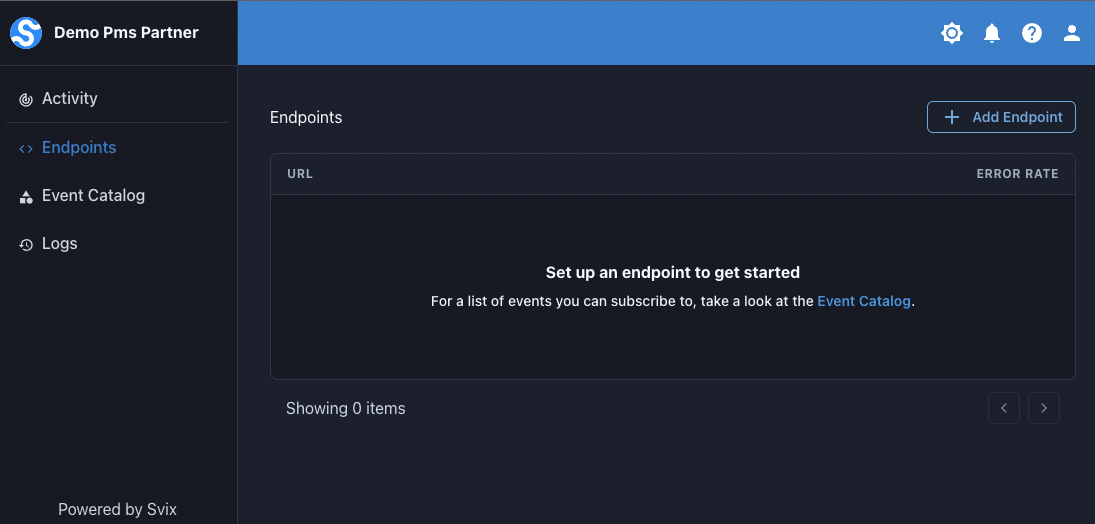
2. Event Catalog:
Under the "Event Catalog" tab you will be able to see all different types of events you can subscribe to and their payload schema:
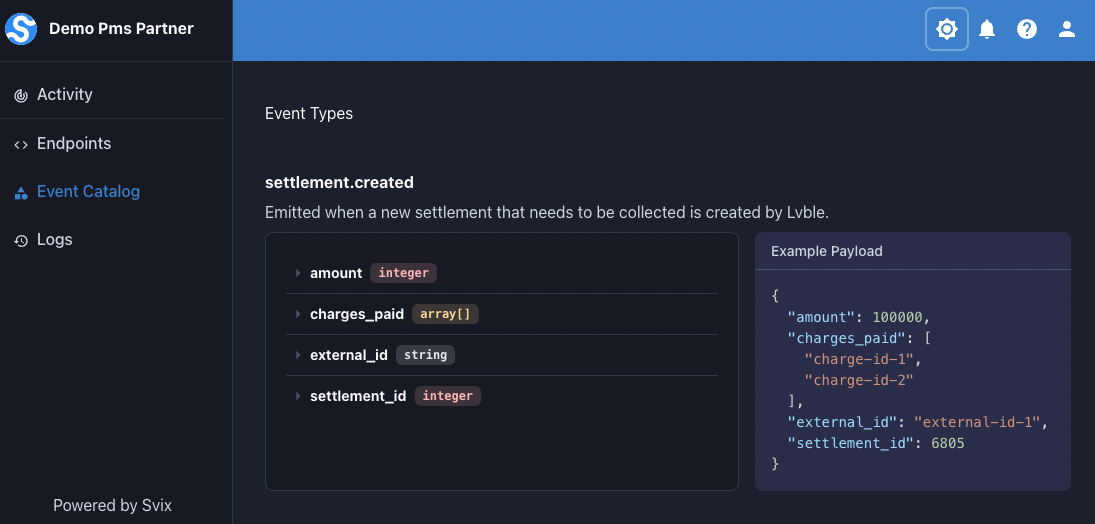
For More Information - Read SVIX's Docs
3. Subscribing to an Event:
In the "Endpoints" tab you can create a new endpoint in order to subscribe to an event from the catalog:
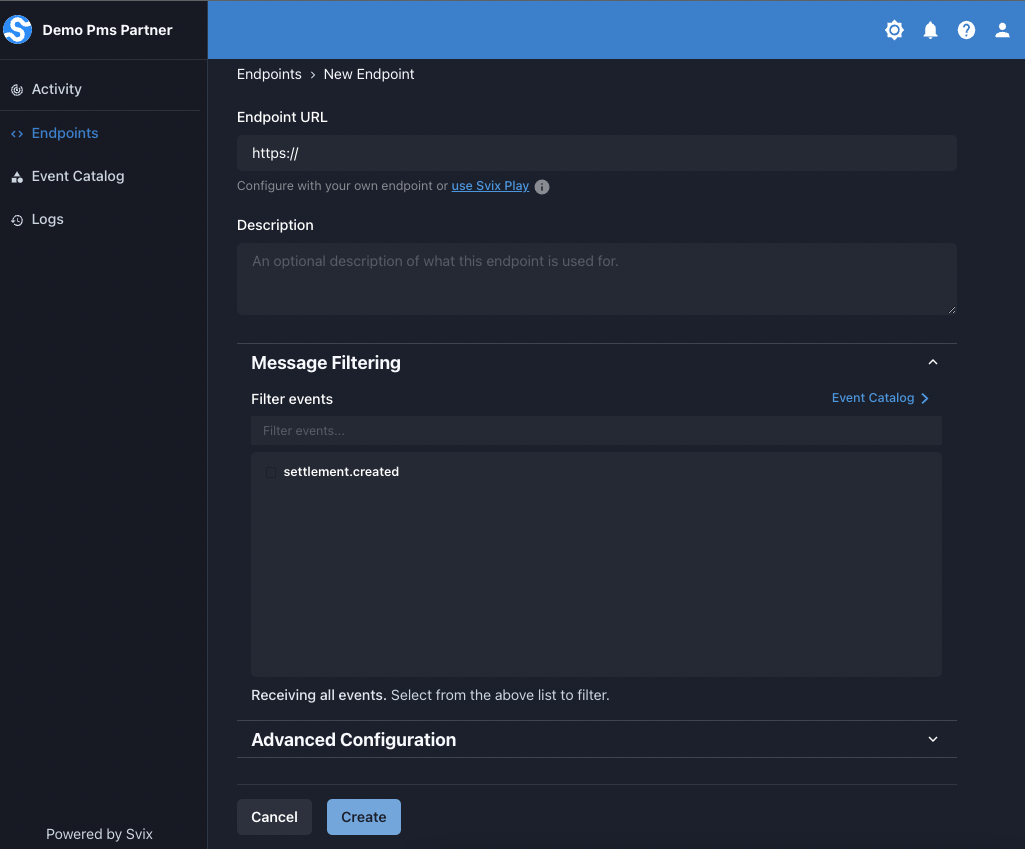
For More Information - Read SVIX's Docs
4. Extra Features
SVIX provides more features that we will not cover in this guide.
For further reading on the following topics you can refer to their docs:
- Testing Events
- Seeing Messages & Message Attempts
- Replaying Messages
- Generating events with custom data
Retries
In this section we will cover the retry functionality for failed webhook messages.
There is both an automatic retry schedule and an option for a manual retry through the consumer portal.
1. Automatic Retry Schedule
If a webhook message fails it will be retried a few times with an exponential backoff.
Each message is attempted based on the following schedule, where each period is started following the failure of the preceding attempt:
- Immediately
- 5 seconds
- 5 minutes
- 30 minutes
- 2 hours
- 5 hours
- 10 hours
- 10 hours (in addition to the previous)
If an endpoint is removed or disabled delivery attempts to the endpoint will be disabled as well.
For example, an attempt that fails three times before eventually succeeding will be delivered roughly 35 minutes and 5 seconds following the first attempt.
2. Manual Retry
Messages can be replayed to an endpoint manually from your consumer portal:
- You can replay a specific message.
- You can replay all failed messages since a certain date.
For a more detailed guide, refer to this link
Replaying Non-Failed MessagesNote that you can replay a message manually from your consumer portal even if it didn't fail.
Security
We will not go into a lot of detail about webhooks security in this guide,
but instead we will provide you with the practical tools to use in order to secure your endpoints.
More Information About Webhook SecurityYou can read more about why and how to secure webhooks in SVIX:
1. Security Strategies - Signature And Timestamp Validation
- Payload Signature: The payload is signed using the HMAC-SHA256 algorithm with a shared secret to sign the webhook's request payload.
- By signing the payload the consumer can verify the integrity and authenticity of the message.
- Timestamp Validation: In order to make sure the request was made recently a timestamp header is added to the webhook request.
- This timestamp is also used when generating the signature to ensure it can't be faked without invalidating the message.
- This strategy is used prevent replay attacks.
2. Message Validation - How To Do It
To make sure a webhook request is valid both the signature and timestamp need to be validated.
You can get the shared secret used to sign the request from the consumer portal UI.
In the page for the endpoint you created you will be able to retrieve the signing secret:
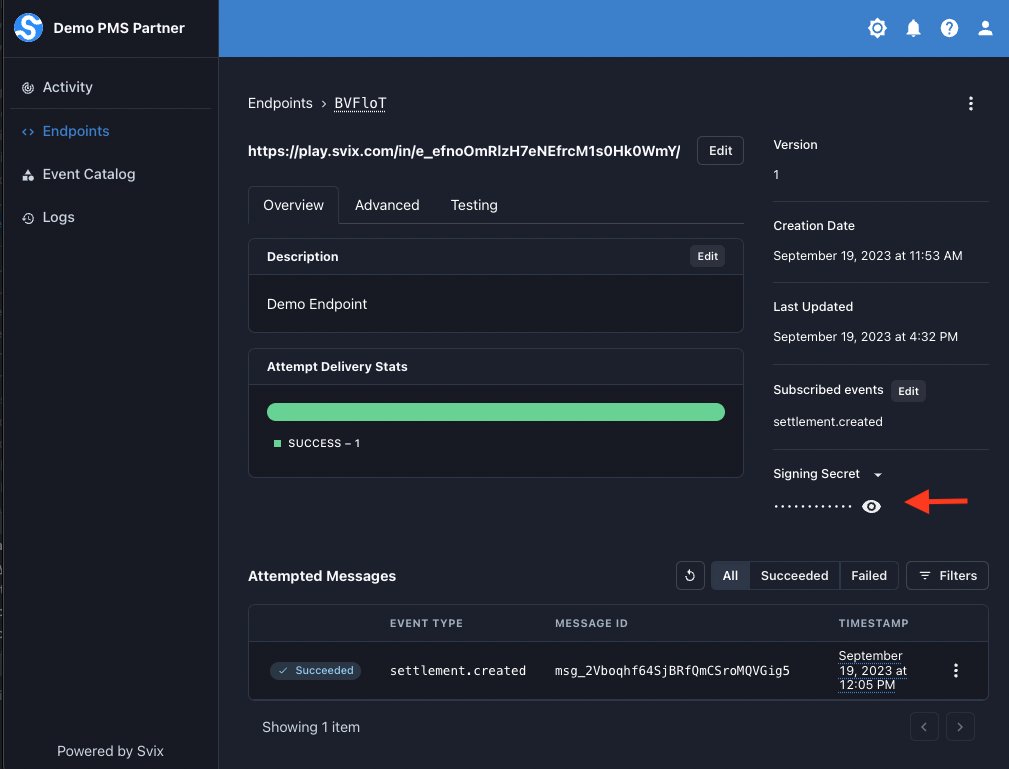
The signature can be validate in 2 ways which are covered very well in SVIX's docs:
- Using SVIX's libraries (highly recommended) - See docs (Note that this also validates the timestamp, not just the signature)
- Manually verifying the signature and timestamp (not recommended, but possible) - See docs
Additional Security FeaturesFor further reading on additional authentication methods you can employ see:
- Basic HTTP Authentication
- Header Based Authentication
- IP Whitelisting - Note Lvble used the US based IPs
Updated over 1 year ago