
Tenant journey
How does a tenant experience Livble within a tenant portal?
1. Paying rent in installments using Livble
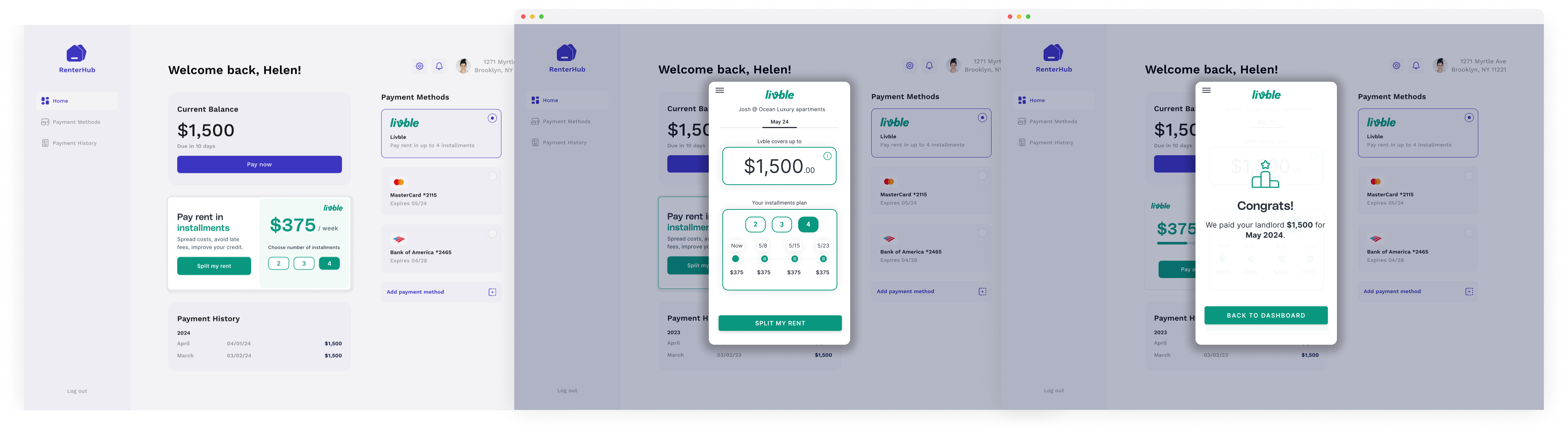
Depending on your product implementation, the Livble "widget" will be offered in multiple locations within the tenant portal (demo portal presented above). Examples of these could be the home screen, payment methods, payment tab and more. The PlugNPlay Livble smart widget is provided by us. In addition, icons and other assets will be provided in the asset package.
Steps to split rent with Livble:
- Click the widget. This will prompt the "Livble experience", starting with a short explanation screen with a CTA to start the process
- Once onboarding is complete and the user is eligible, they can use Livble to pay rent.
- The user can opt into the various plans by interchanging between the available installments and changing the dates using the "drag and drop" functionality. Once a plan has been chosen, the user opts into "SPLIT MY RENT". Livble covers the rent in full and a confirmation screen appears. Please see "flow of funds" guidelines for further details.
2) Repaying Livble throughout the month
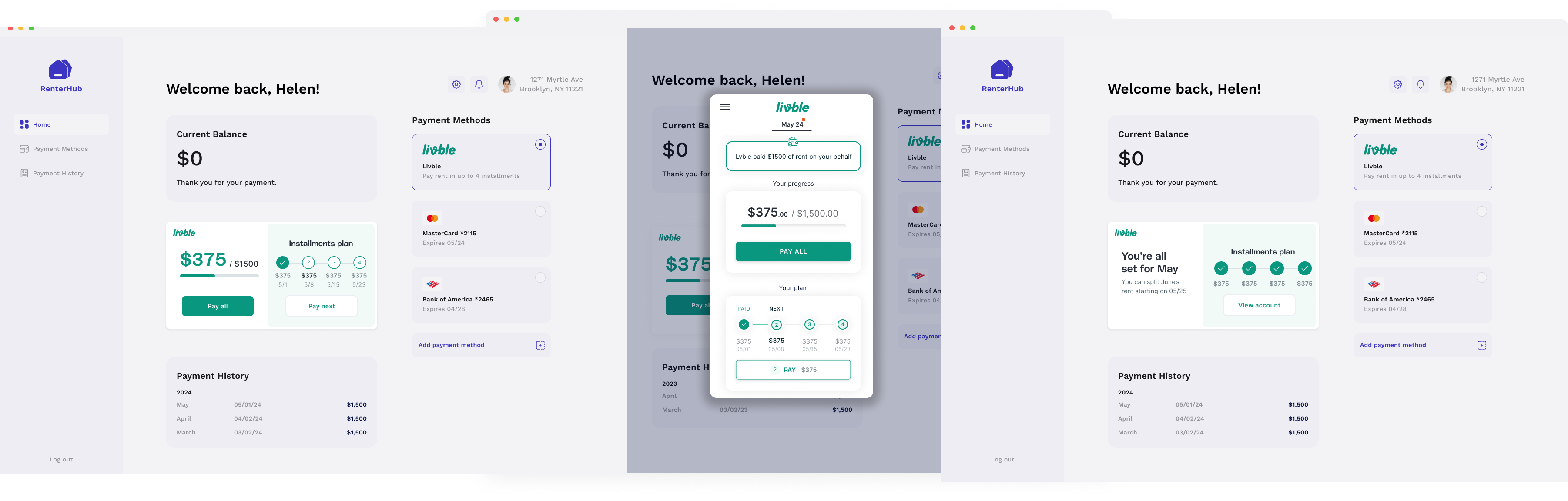
Repaying Livble throughout the month is automatic. The Livble "widget" will be located at the first entry screen of the user's rental portal. The user can see the repayment status and upcoming payments, as well as have repayment functionality to submit early payments at will.
Updated about 1 year ago